Sign and close, without leaving the proposal
E-signature and contracts built into your proposals. Wantly turns an approved proposal into a signed contract in one flow. Sign with a code, by hand, or a qualified e-signature, capture a full audit record, and store every signed document, with no separate contract tool and no Word files.
30-minute demo on your own contract. We set the whole flow up for you.
Trusted by teams who want a signature, not another email thread














From distributors and wholesalers to manufacturers closing deals on the spot.
The deal is won, and then it stalls in contract limbo.
The client says yes, and now begins the slow part: copy the numbers into a Word contract, email it back and forth, chase a signature, print, scan, and file it somewhere. The momentum you built leaks away at the finish line.
What contract limbo quietly costs you
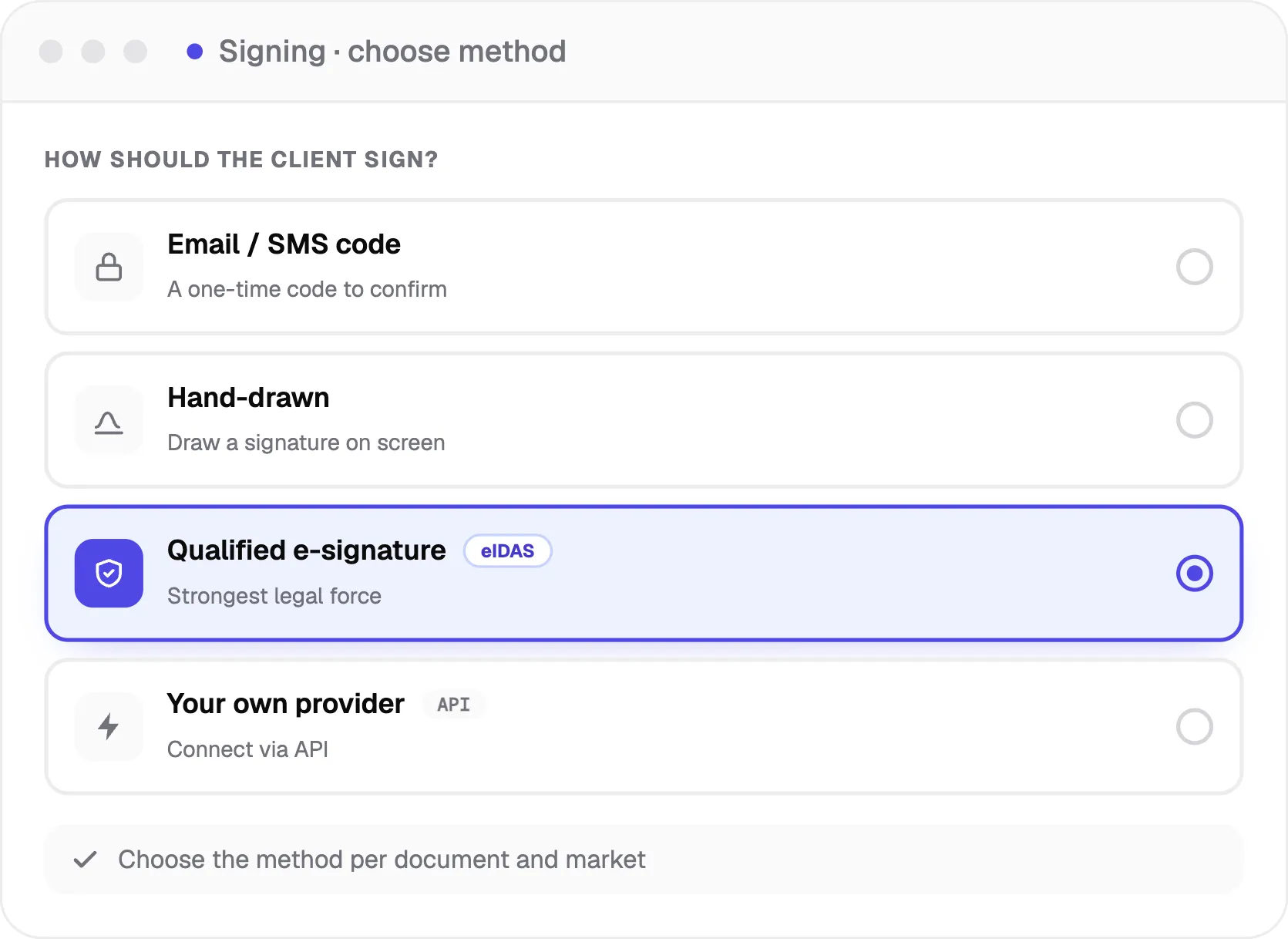
Sign the way that fits the deal
Let clients sign with a code sent by email or SMS, a hand-drawn signature, a qualified electronic signature, or connect your own e-signature platform via API and keep the tool you already use. You choose the method per document and market.
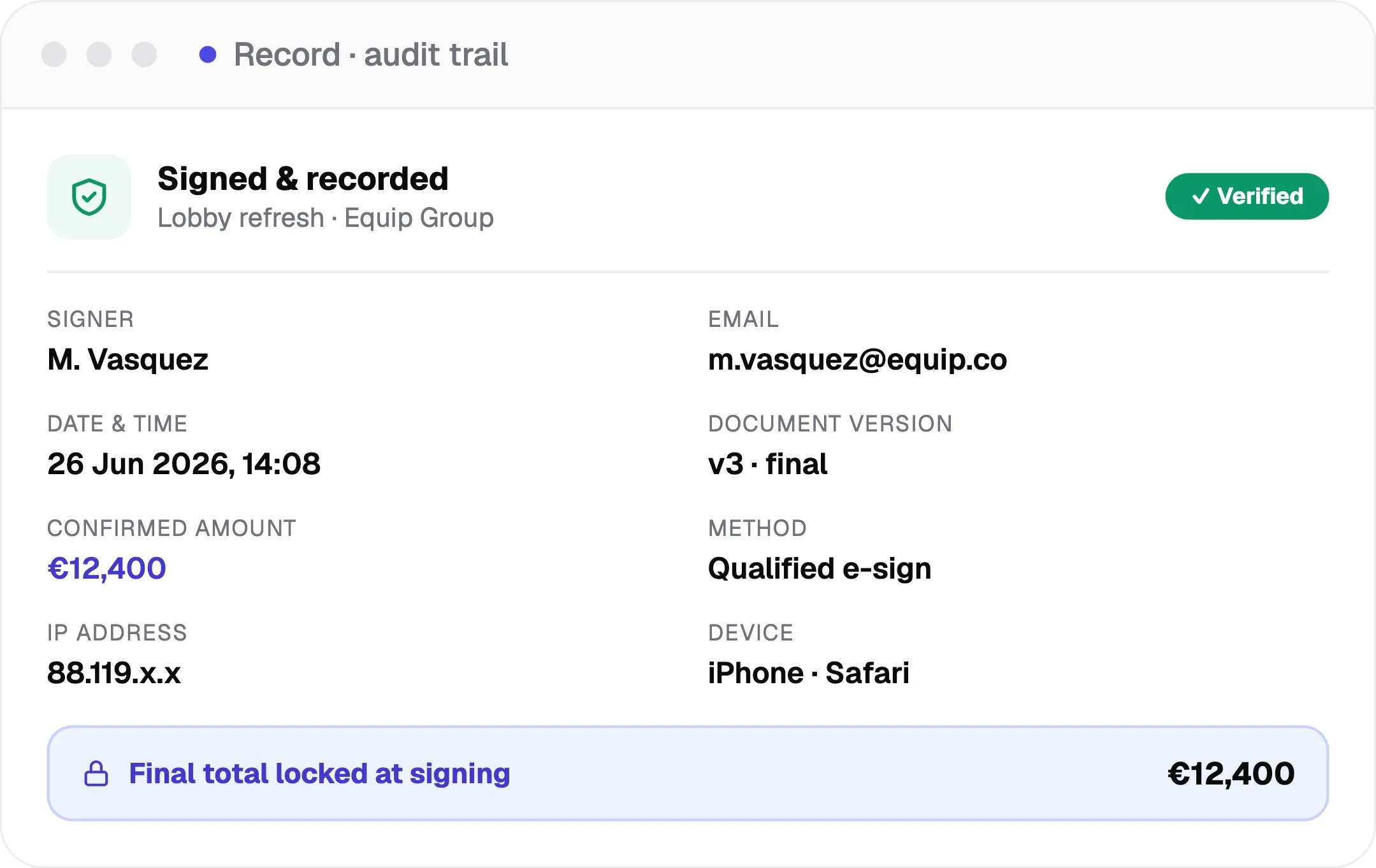
A complete record on every signature
Every signature captures the signer's name and email, the date and time, the document version, the confirmed amount, and technical details, then locks the final total. You get a clean, defensible record instead of a forwarded email and a scanned page.
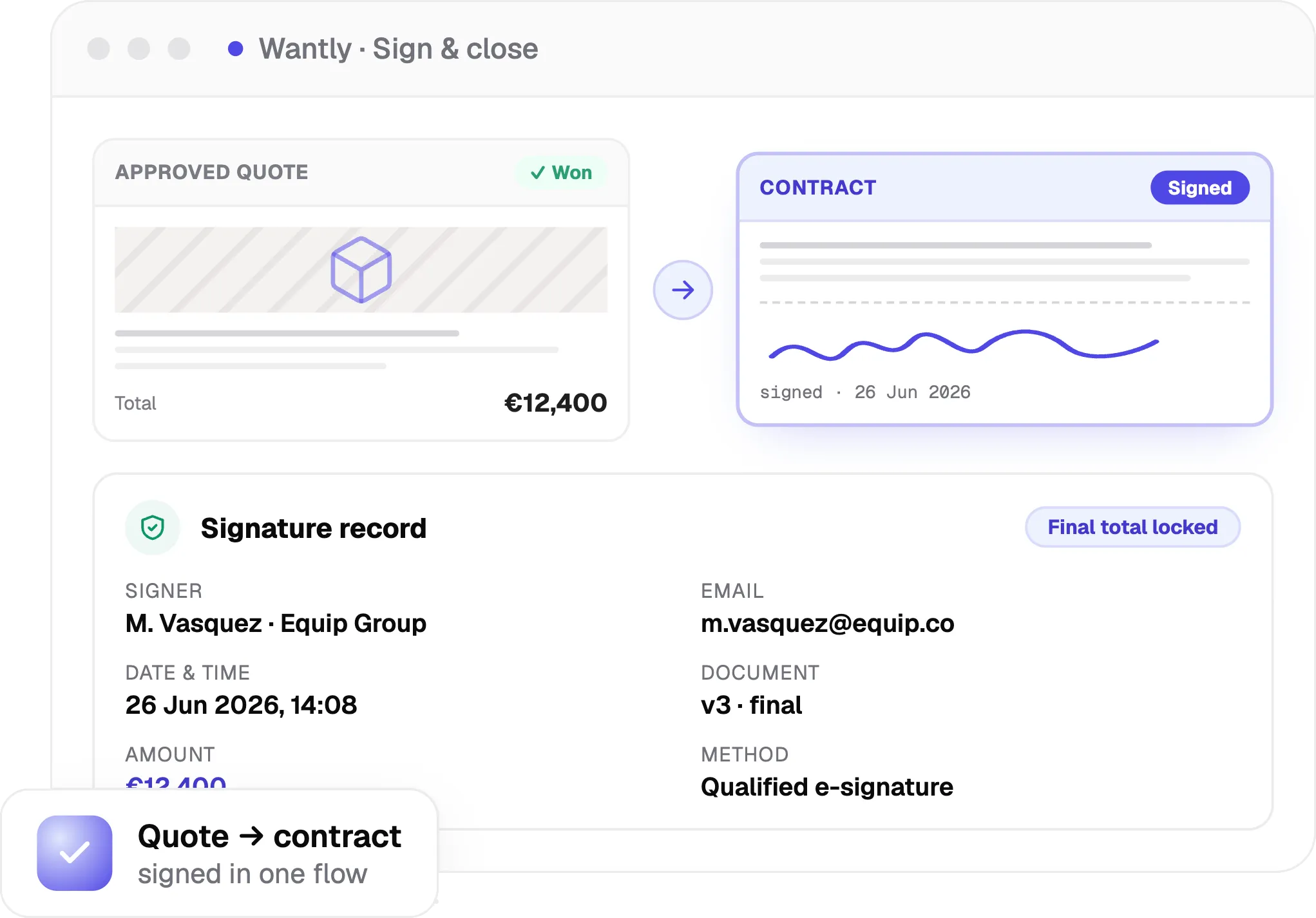
Turn the approved quote into a contract, automatically
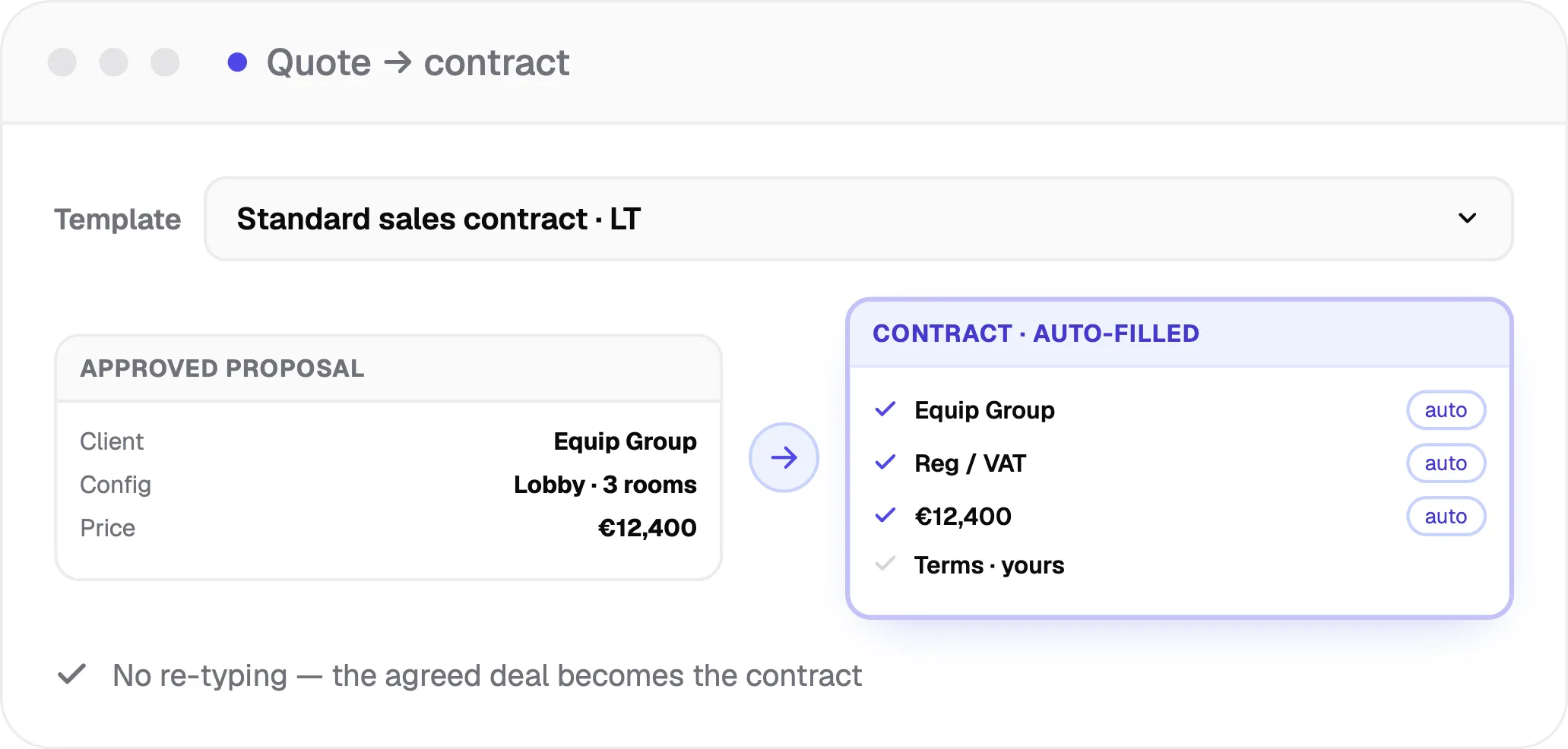
Combine the proposal and the contract in one flow. Start from your own contract templates, let client and company data fill themselves in, and carry the agreed price and the approved configuration straight into the contract. No more re-typing the deal into a separate Word file.
Store, track, and find every signed document
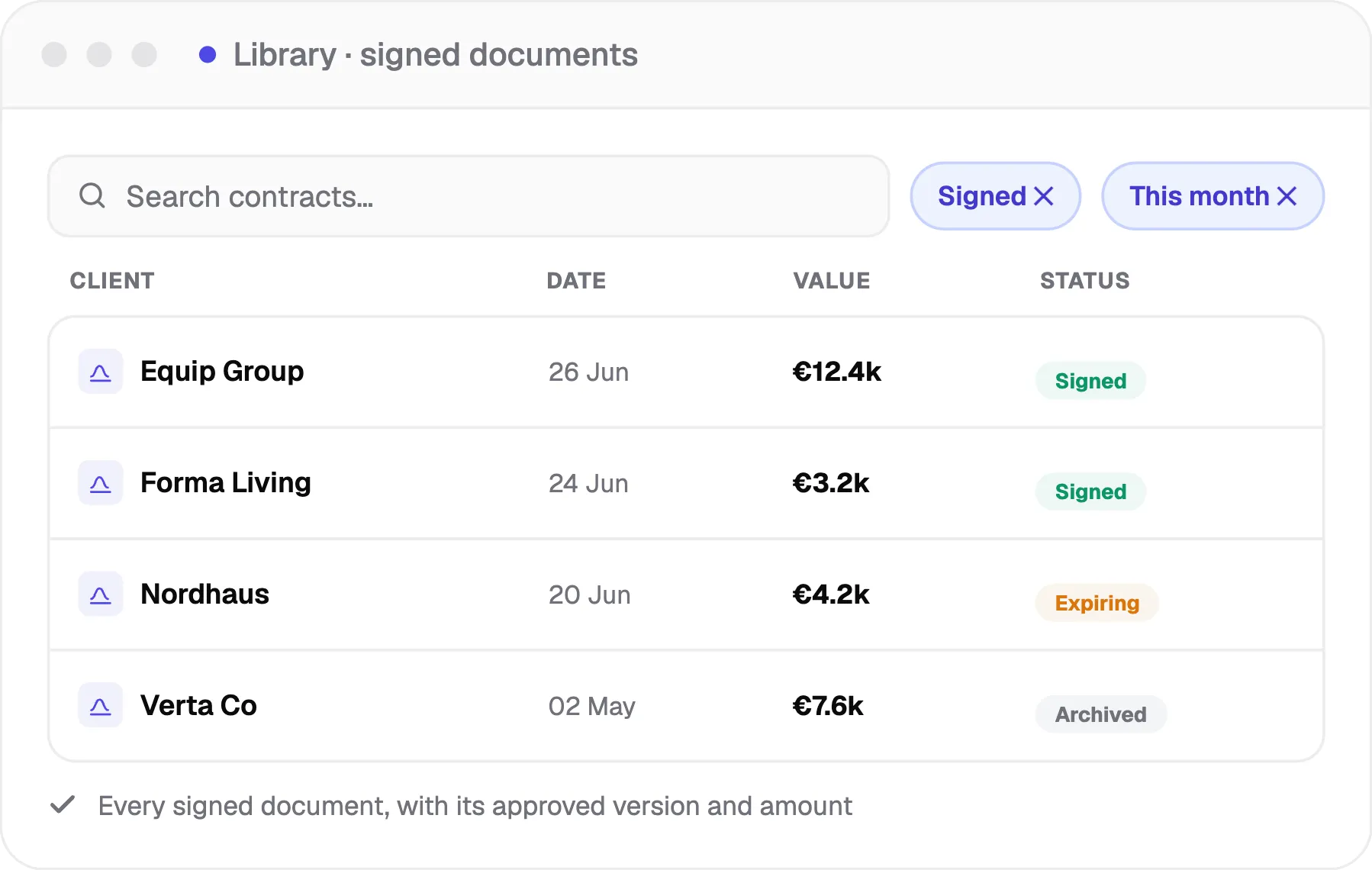
Every signed contract is stored in Wantly with its status, the version that was approved, and the confirmed amount. Search and filter to find any document in seconds, and see at a glance what is signed, expiring, or archived.
Choose the right level of legal force
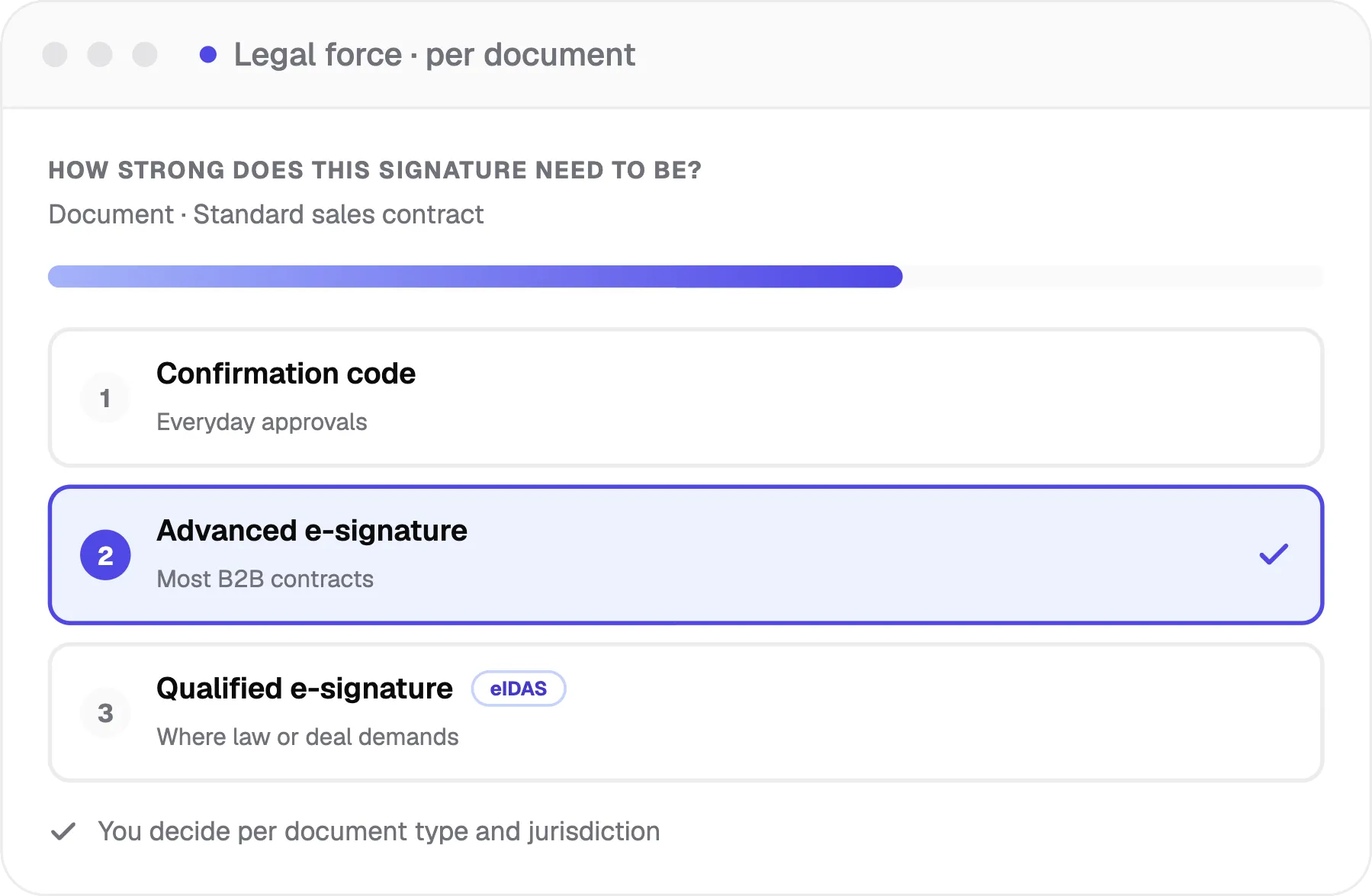
Pick how strong the signature needs to be, from a simple confirmation code for everyday approvals up to a qualified electronic signature where the law or the deal demands it. You decide per document type and jurisdiction.
More in e-signature & contracts
Everything else the signing and contract flow handles.
Works with your CRM, ERP, and signing stack
Push signed status and final amounts to your CRM, create the order in your ERP, and connect your own e-signature platform via API.
Connect your own e-signature
Keep the signing platform you already use — connect it via API and Wantly still handles the quote-to-contract flow, the record, and storage.
See the client signing experience on the Interactive Proposals page, and discount approval on Pricing & CPQ. Or see everything Wantly does in one place.
From contract limbo to signed in one flow
What closing in one flow changes
Close the same day
No gap between yes and a signed contract.
No re-typing errors
The agreed numbers carry over exactly.
A clean audit trail
A defensible record on every signature.
The honest answers to what you're thinking
A B2B equipment seller used to re-type every won deal into a Word contract and chase signatures by email, with no setup work on their side. Wantly connected their templates and signing in about three weeks.
2 days → same day
~3 wks
What teams say about signing in Wantly
The quote turns into the contract in one click. No more Word copy-paste.
Clients sign from their phone the same day they say yes.
Every signed contract is in one place, and I can actually find it.
FAQs
Answer-first questions about Wantly e-signature and contracts. Talk to us →